

Microsoft 365 Family – 6 Users | 12 Months | Key Bind to Your Microsoft Account
Original price was: $130.00.$55.00Current price is: $55.00.
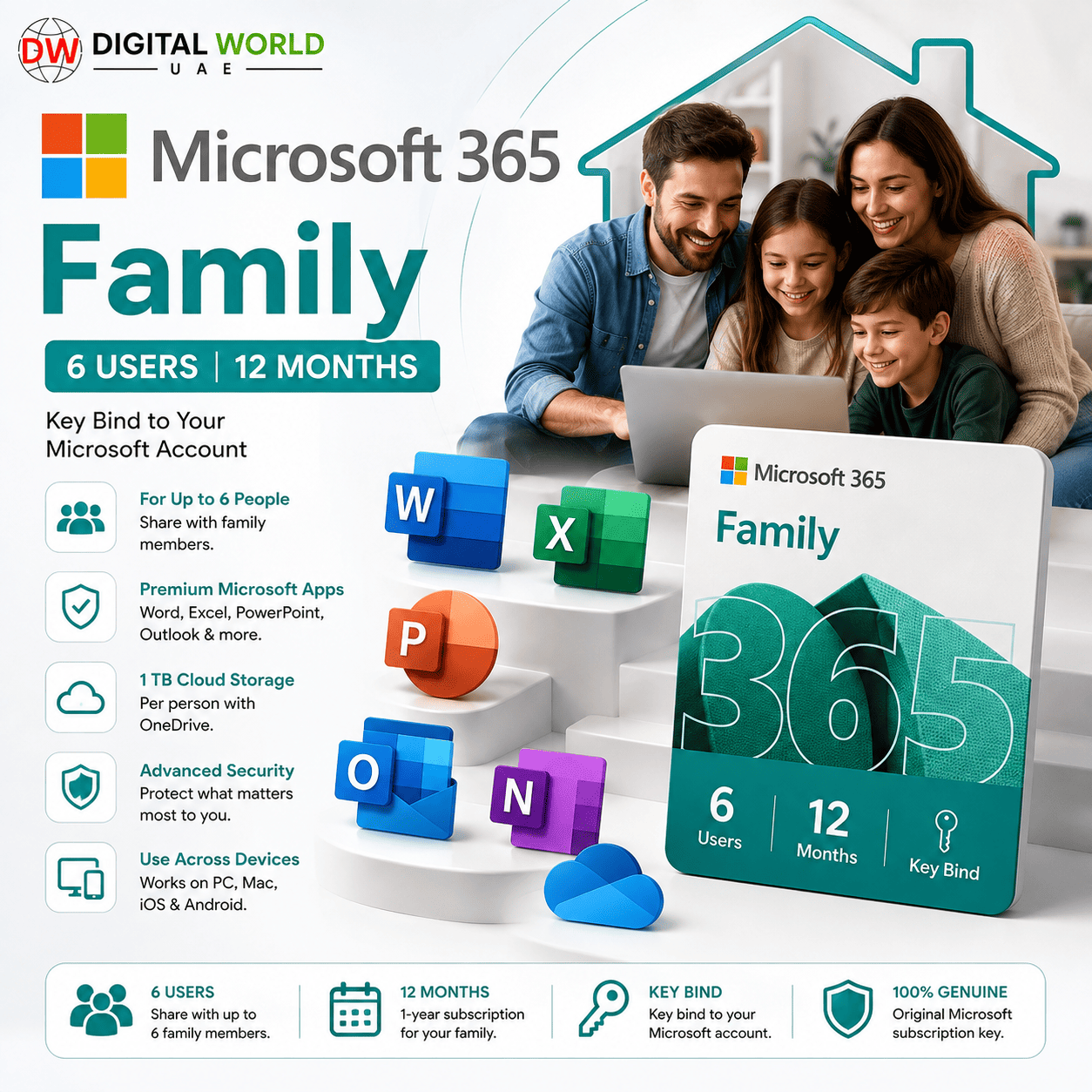
✓ Microsoft 365 Family
✓ Approximately 12 Months / 365 Days
✓ Up to 6 Users Total – Owner + 5 Additional People
✓ Redeem Key – Bind to Your Own Microsoft Account
✓ Word, Excel, PowerPoint, Outlook & More
✓ OneDrive Cloud Storage
✓ Windows & Mac Support
✓ Full-Time Warranty
✓ VPN Required for Initial Redemption
✓ Taiwan / Hong Kong Regional Redemption
✓ VPN NOT Required After Successful Activation
⚠️ Key MUST be redeemed within 24 hours of purchase/delivery.
⚠️ Delayed redemption beyond 24 hours is not covered for activation issues caused by the delay.
Microsoft 365 Family – 6 Users | 12 Months | Key Bind to Your Microsoft Account
Get approximately 12 months / 365 days of Microsoft 365 Family by redeeming a product key and permanently linking the subscription entitlement to your own Microsoft account.
This product is supplied as a REDEEM KEY — not as a pre-made account.
You will redeem the supplied key using your own personal Microsoft account. After successful redemption, Microsoft 365 Family will be associated with that account for the subscription period.
⚠️ IMPORTANT: VPN is required ONLY during the initial key redemption. After successful activation, you can disconnect the VPN and use Microsoft 365 normally for the remaining subscription period.
What’s Included
✓ Microsoft 365 Family
✓ Approximately 12 Months / 365 Days Subscription
✓ Up to 6 Users Total
✓ Owner + Up to 5 Additional Family Members
✓ Redeem Key Provided
✓ Bind to Your Own Microsoft Account
✓ Microsoft 365 Desktop Applications
✓ Word
✓ Excel
✓ PowerPoint
✓ Outlook
✓ OneNote
✓ OneDrive Cloud Storage
✓ Windows & Mac Support
✓ Mobile Apps on Supported Devices
✓ Full-Time Product Warranty
✓ VPN Required for Initial Redemption Only
What Is This Product Used For?
Microsoft 365 Family is designed for households, families and users who need Microsoft’s productivity applications across multiple accounts and devices.
It can be used for:
✓ Creating Documents with Microsoft Word
✓ Spreadsheets & Data Management with Excel
✓ Presentations with PowerPoint
✓ Email Management with Outlook
✓ Personal Cloud Storage with OneDrive
✓ School & University Assignments
✓ Home & Personal Productivity
✓ Freelance Work
✓ Office Documents
✓ Working Across Multiple Devices
✓ Sharing Microsoft 365 Benefits with Family Members
Who Is This Product Suitable For?
This package is especially suitable for:
✓ Families
✓ Households with Multiple Users
✓ Students
✓ Teachers
✓ Freelancers
✓ Home Users
✓ Professionals
✓ Users with Multiple PCs or Macs
✓ People Who Need Word, Excel & PowerPoint
✓ Users Who Want Microsoft 365 Linked to Their Own Account
If several people in your household need Microsoft Office applications, Microsoft 365 Family provides significantly more flexibility than a single-user subscription.
Up to 6 Users
Microsoft 365 Family supports up to 6 users in total:
✓ 1 Subscription Owner
✓ Up to 5 Additional People
The subscription owner can share eligible Microsoft 365 Family benefits with up to five other people.
Each invited person uses their own Microsoft account rather than sharing the owner’s password.
Microsoft 365 Applications
The subscription provides access to supported Microsoft 365 applications, including:
✓ Microsoft Word
✓ Microsoft Excel
✓ Microsoft PowerPoint
✓ Microsoft Outlook
✓ Microsoft OneNote
✓ OneDrive
✓ Other Microsoft 365 features available under the applicable Family subscription
Available applications and features may vary according to device, operating system, region and Microsoft’s current subscription benefits.
OneDrive Cloud Storage
Microsoft 365 Family provides OneDrive cloud storage benefits for eligible users.
This allows users to:
✓ Store Documents Online
✓ Back Up Important Files
✓ Access Files Across Devices
✓ Sync Documents
✓ Share Files
✓ Work with Microsoft 365 Documents from Multiple Devices
Storage and sharing benefits are subject to Microsoft’s current Microsoft 365 Family policies.
Key Bind to Your Personal Microsoft Account
This is NOT a pre-made Microsoft account.
You will receive a Microsoft 365 Family redemption key.
During activation:
1. Sign in with YOUR OWN Microsoft account.
2. Redeem the supplied product key.
3. The Microsoft 365 subscription will be associated with your Microsoft account.
4. After successful redemption, you can manage your subscription and Microsoft 365 installations through your Microsoft account.
⚠️ Make sure you redeem the key using the correct Microsoft account that you want to use as the subscription owner.
IMPORTANT – Regional Redemption
⚠️ This supplied key has regional redemption requirements.
A VPN is required during the initial redemption process.
During redemption:
✓ Connect VPN to Taiwan OR Hong Kong according to the supplied activation instructions.
✓ Open the Microsoft key redemption/setup page.
✓ Sign in with your personal Microsoft account.
✓ Select/use the applicable Taiwan or Hong Kong region during the redemption process when required.
✓ Enter the supplied product key.
✓ Complete the activation.
Once the key has been successfully redeemed and the subscription is active:
✓ Disconnect the VPN.
✓ Continue using Microsoft 365 normally.
✓ VPN is NOT required for normal everyday Microsoft 365 usage after successful activation.
Activation Instructions
⚠️ IMPORTANT: THE KEY MUST BE REDEEMED WITHIN 24 HOURS OF PURCHASE.
Please complete the activation as soon as you receive your key.
Step 1 – Prepare Your Microsoft Account
Use the personal Microsoft account that you want to become the Microsoft 365 Family subscription owner.
Make sure you know the email address and password before beginning.
Step 2 – Connect to VPN
Connect to:
✓ Taiwan
OR
✓ Hong Kong
Keep the VPN connected throughout the redemption process.
Step 3 – Open Microsoft Setup
Go to Microsoft’s Office/Microsoft 365 setup page:
https://setup.office.com
Sign in with the Microsoft account where you want the subscription activated.
Step 4 – Redeem Your Key
Enter the Microsoft 365 Family product key supplied with your order.
Follow the on-screen instructions.
When the redemption process requires the applicable country/region, use Taiwan or Hong Kong according to the supplied activation instructions.
Step 5 – Complete Activation
Complete all required Microsoft redemption steps.
Make sure Microsoft 365 Family appears successfully associated with your Microsoft account before closing the setup page.
Step 6 – Disconnect VPN
After successful redemption and activation:
✓ Disconnect your VPN.
✓ You no longer need the VPN for normal usage.
✓ Sign in to Microsoft 365 applications using your activated Microsoft account.
Detailed Activation Guide
For our complete step-by-step activation guide, visit:
The guide explains how to redeem and bind Microsoft Office / Microsoft 365 product keys to your personal Microsoft account.
# IMPORTANT – 24-Hour Redemption Requirement
⚠️ THE KEY MUST BE REDEEMED WITHIN 24 HOURS OF PURCHASE.
This is an important condition of this product.
Once your key has been delivered, please complete the redemption process immediately.
If you do not redeem the key within 24 hours after purchase/delivery, we cannot guarantee the key afterwards and will not be responsible for activation problems caused by delayed redemption.
Therefore:
✓ Prepare your Microsoft account before ordering.
✓ Have access to a suitable VPN.
✓ Redeem the key as soon as possible.
✓ Do NOT purchase the product if you cannot complete activation within the required timeframe.
After Successful Activation
Once successfully redeemed:
✓ Microsoft 365 Family will be linked to your Microsoft account.
✓ VPN can be disconnected.
✓ Microsoft 365 can be used normally.
✓ You can install supported Microsoft 365 applications.
✓ You can manage your subscription through your Microsoft account.
✓ Eligible Family benefits can be shared with up to 5 additional people.
✓ Subscription access continues for approximately 365 days according to the supplied key.
Product Warranty
✓ Full-Time Warranty During the Applicable Subscription Period
Warranty applies to eligible product/key-related issues according to our warranty policy.
⚠️ The 24-hour redemption requirement remains mandatory.
If the customer delays redemption beyond 24 hours after receiving/purchasing the key, activation problems resulting from the delayed redemption are not covered.
Customers must also follow the supplied regional activation instructions correctly.
Important Notes
• Product Type: Microsoft 365 Family Redeem Key
• Subscription Duration: Approximately 12 Months / 365 Days
• Users: Up to 6 Total
• The subscription owner can share eligible benefits with up to 5 additional people.
• Key binds to the customer’s own Microsoft account.
• This is NOT a pre-made Microsoft account.
• VPN is required for INITIAL REDEMPTION.
• Taiwan or Hong Kong region must be used according to the supplied redemption instructions.
• VPN can be disconnected after successful activation.
• VPN is NOT required for normal daily usage after successful redemption.
• Key MUST be redeemed within 24 hours.
• Delayed redemption beyond 24 hours is not covered for activation-related problems caused by the delay.
• Make sure you use the correct Microsoft account during redemption.
• Microsoft may update applications, subscription features, storage benefits, interfaces and account policies over time.
Frequently Asked Questions
Q. What exactly will I receive?
A. You will receive a Microsoft 365 Family product key that must be redeemed and linked to your own Microsoft account.
Q. Is this a pre-made Microsoft account?
A. No. You use your own personal Microsoft account and redeem the supplied product key on it.
Q. How long is the subscription?
A. The supplied subscription provides approximately 12 months / 365 days of Microsoft 365 Family access.
Q. How many people can use Microsoft 365 Family?
A. Microsoft 365 Family supports up to 6 users total — the subscription owner plus up to 5 additional people.
Q. Can the other family members use their own Microsoft accounts?
A. Yes. The subscription owner can share eligible Microsoft 365 Family benefits with up to five additional people, who use their own Microsoft accounts.
Q. Does it include Word, Excel and PowerPoint?
A. Yes. Microsoft 365 Family includes supported Microsoft 365 productivity applications such as Word, Excel and PowerPoint.
Q. Can I use it on Windows?
A. Yes. Microsoft 365 applications are available on supported Windows systems.
Q. Can I use it on Mac?
A. Yes. Supported Microsoft 365 applications are also available for Mac.
Q. Do I need a VPN?
A. Yes, but only for the initial key redemption. Connect to Taiwan or Hong Kong according to the supplied activation instructions.
Q. Do I need to keep the VPN connected for the entire year?
A. No. After the key has been successfully redeemed and Microsoft 365 is activated, disconnect the VPN and use Microsoft 365 normally.
Q. Where do I redeem the key?
A. Redeem the key through Microsoft’s Office/Microsoft 365 setup website while following the supplied activation instructions.
Q. How quickly must I redeem the key?
A. The key MUST be redeemed within 24 hours of purchase/delivery. Delayed redemption beyond this period is not covered for activation problems caused by the delay.
Q. Where can I find the activation guide?
A. A complete step-by-step activation guide is available on the Digital World UAE website at the activation-guide link provided in this product description.
Q. Is the subscription linked to my own email?
A. Yes. You redeem the key while signed in to your own Microsoft account, and the subscription becomes associated with that account after successful redemption.
Q. Can I reinstall Microsoft 365 later?
A. After successful redemption, Microsoft uses your associated Microsoft account to manage your Microsoft 365 subscription and installations.
Q. Is warranty included?
A. Yes. Full-time warranty applies during the applicable subscription period according to the warranty conditions. The key must still be redeemed within the required 24-hour period.
Q. How long will it take to deliver?
A. Standard delivery time is between few hours to 5 working days, depending on product.
Related products
Microsoft Power BI Pro – 12 Months | Pre-Made or Personalized Account | 1 Year Warranty
Original price was: $168.00.$45.00Current price is: $45.00.