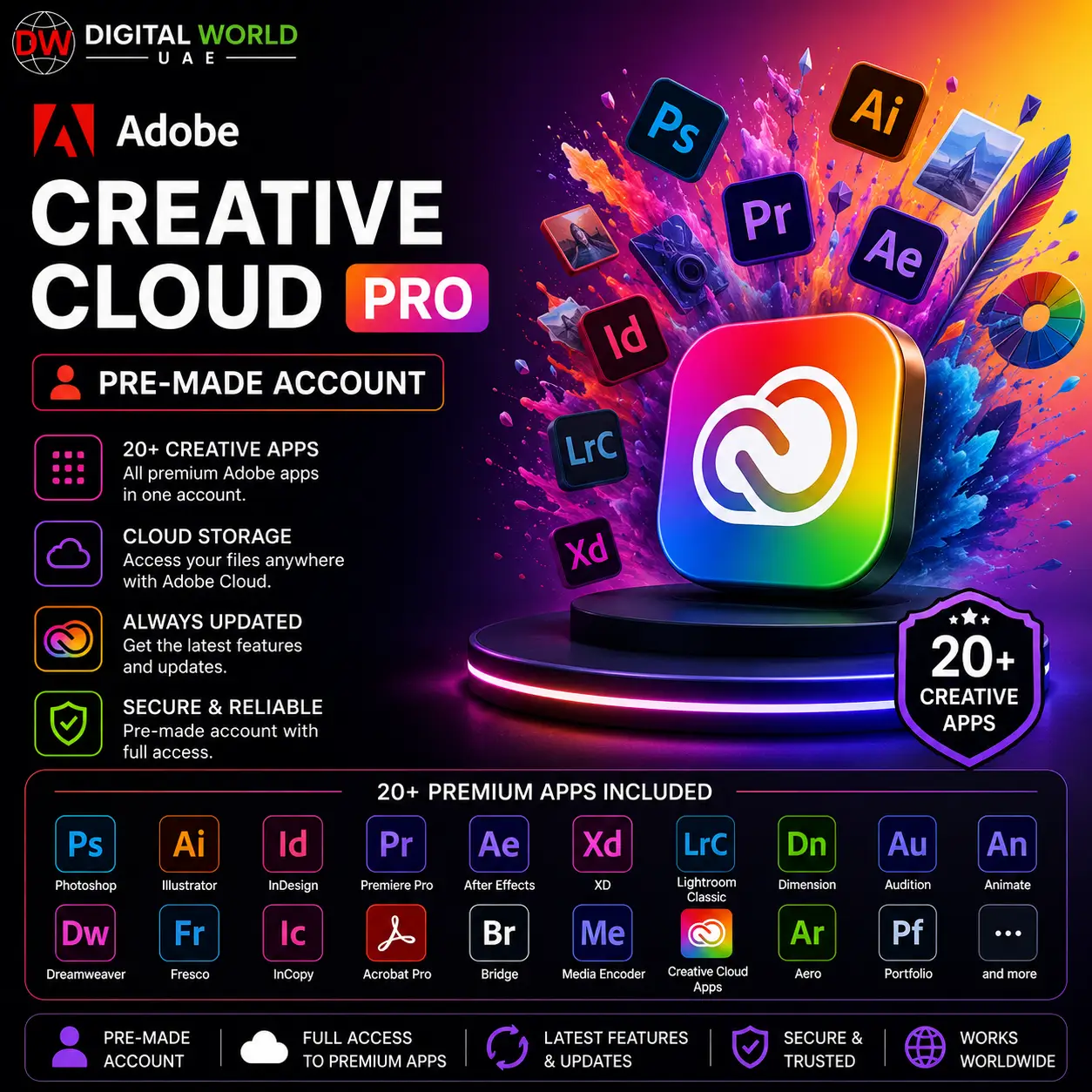


Adobe Creative Cloud Pro – Pre-Made Account (20+ Creative Apps)
$6.00
✓ Adobe Creative Cloud – Pre-Made Account (30 Days Validity)
✓ 20+ Professional Creative Apps
✓ Photoshop, Illustrator, Premiere Pro & More
✓ Windows & macOS Supported
✓ Up to 2 Computers at a Time
✓ Mobile & Tablet Access
✓ Substance 3D Not Included
✓ AI Credits / Nano Banana Not Guaranteed
✓ Digital Delivery
Adobe Creative Cloud Pro – Pre-Made Account (20+ Creative Apps)
Get access to Adobe Creative Cloud with 20+ professional creative applications for graphic design, photography, video editing, animation, illustration, audio production, and more.
This product is supplied as a pre-made Adobe account. Depending on current availability, the delivered license may be Pro, Edition 4, Edition 3, K-12, or another eligible Creative Cloud license with the advertised application access.
What’s Included
✓ Adobe Creative Cloud Access
✓ 20+ Creative Applications
✓ Pre-Made Adobe Account for 30 Days via Internal Redeem Code
✓ Photoshop
✓ Illustrator
✓ Premiere Pro
✓ After Effects
✓ InDesign
✓ Lightroom
✓ Acrobat
✓ Audition
✓ Animate
✓ Media Encoder
✓ And More Creative Apps
✓ Windows & macOS Support
✓ Mobile & Tablet Support
Device Usage
✓ Use on up to 2 computers at the same time (Windows / Mac)
✓ Mobile access supported on compatible phones and tablets
✓ Access Adobe mobile apps using the provided account where supported
Important Feature Information
• Adobe Substance 3D applications are NOT included.
• Nano Banana access is NOT guaranteed.
• 4,000 AI / generative credits are NOT guaranteed.
• The exact license edition may vary according to available stock.
• You may receive Pro, Edition 4, Edition 3, K-12, or another eligible license variant.
• Purchase this product for access to the advertised Creative Cloud applications rather than for a specific license edition or AI-credit allocation.
Delivery & Account Setup
After your order is processed, you will receive a Redemption Key along with the setup instructions.
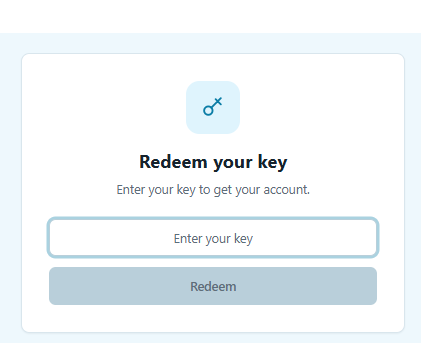
1. Redeem Your Key
Open the redemption portal:
https://reseller.ado-besoft.com/redeem-key
Enter the Redemption Key provided with your order.
2. Get Your Adobe Account Details
After successful redemption, the portal will provide an active email address and password for your Adobe registration and activation process.
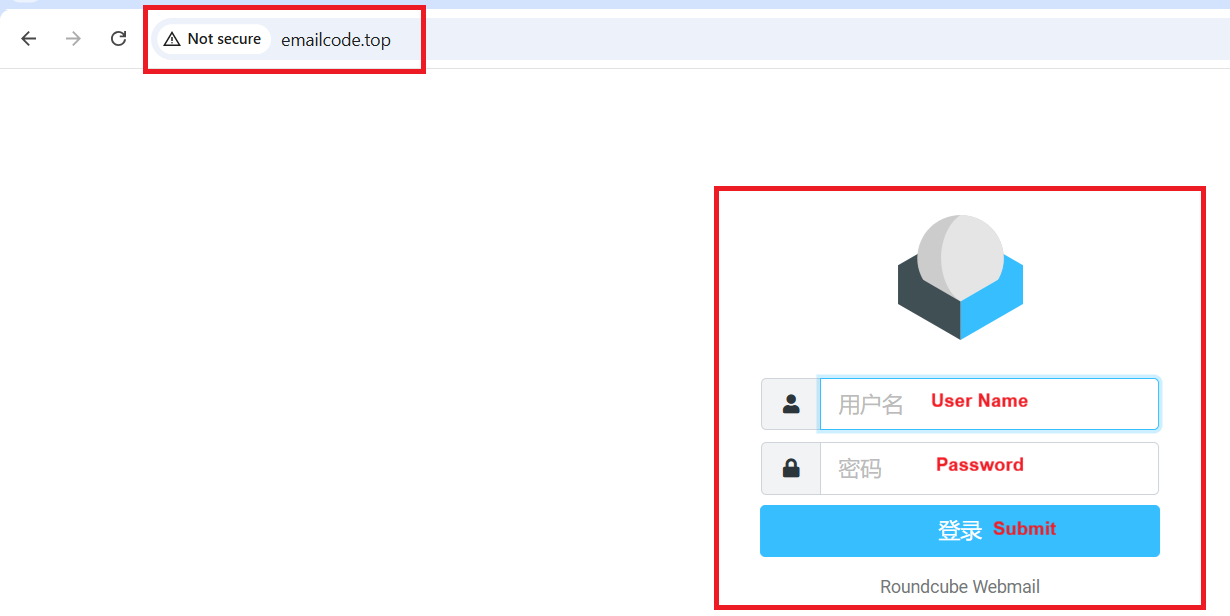
3. Get the Email Verification Code (OTP)
If Adobe asks you to verify the provided email address, you can receive the verification code using either of these methods:
- Click “Get Code” on the redemption portal; or
- Visit http://emailcode.top and sign in using the provided email address and password.
Important: The email-code website must be opened using http://. Do not use https://, as the website may not open correctly.
4. Complete Adobe Registration
Complete the Adobe account registration yourself using the provided email address.
During registration, make sure to select:
Country/Region: United States
Follow the provided activation instructions until your Adobe membership is successfully activated.
5. Download Creative Cloud
Download and install the Adobe Creative Cloud Desktop App, sign in to your activated Adobe account, and install the available applications such as Photoshop, Premiere Pro, Illustrator, After Effects, and other included Creative Cloud apps.
Account Repair / Team Change
If your Adobe account stops working, becomes unavailable, or requires a new team/account change, visit:
https://reseller.ado-besoft.com/redeem-key
Follow the instructions on the page to check or repair your account.
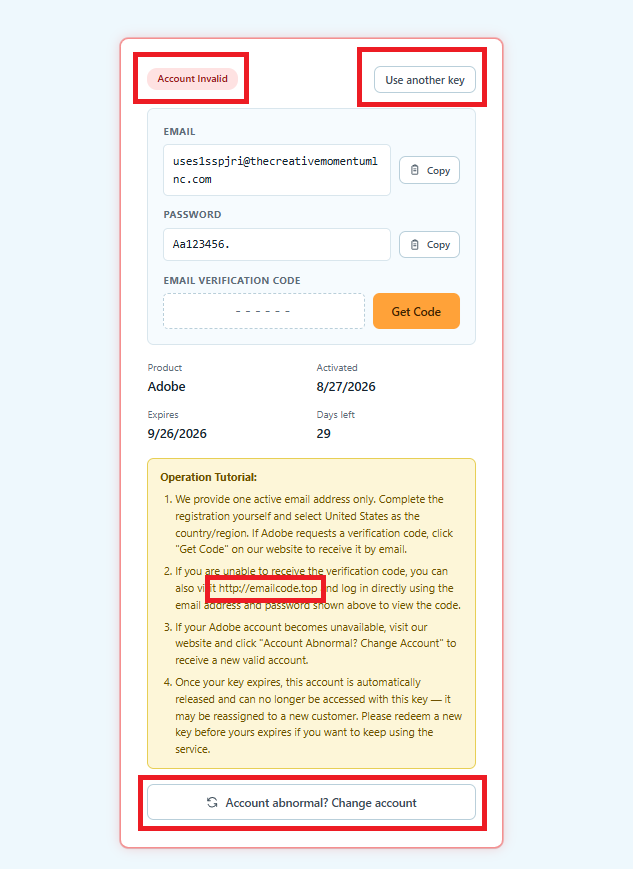
If You See a Red Border / “Account Invalid”
If the redemption portal shows a red border or indicates that the account is invalid/abnormal, click:
“Abnormal Account? Change account”
The system will provide a new available account when a replacement is available.
Important: Keep your Redemption Key safe. You may need it later to check the account status, repair the account, or obtain a replacement account during the validity period.
Account Renewal / Replacement During Validity
If the supplied Adobe account expires while your purchased redemption entitlement is still valid, follow the provided redemption procedure to obtain/redeem a new account where applicable.
Please keep your original order and redemption information safe for the entire validity period.
Important Notes
• This is a pre-made account-based digital product.
• The exact Creative Cloud license edition may vary.
• 20+ Creative Cloud applications are included as advertised.
• Substance 3D applications are excluded.
• Specific AI features and 4,000 generative credits are not guaranteed.
• Windows, macOS, and compatible mobile devices are supported.
• Follow the supplied registration and redemption instructions carefully.
Frequently Asked Questions
Q. Which Adobe applications are included?
A. Access includes 20+ Creative Cloud applications such as Photoshop, Illustrator, Premiere Pro, After Effects, InDesign, Lightroom, Acrobat, and other available creative applications.
Q. Is Adobe Substance 3D included?
A. No. Substance 3D applications are not included with this product.
Q. Are 4,000 generative credits included?
A. Not necessarily. A specific allocation of 4,000 AI/generative credits is not guaranteed.
Q. Is Nano Banana included?
A. Nano Banana access is not guaranteed with this product.
Q. Which license edition will I receive?
A. The exact edition depends on current stock and may include Pro, Edition 4, Edition 3, K-12, or another eligible Creative Cloud license variant.
Q. Can I use it on Windows and Mac?
A. Yes. Creative Cloud desktop applications can be used on supported Windows and macOS devices.
Q. How many computers can I use?
A. The supplied plan is intended for use on up to 2 computers at the same time, subject to the delivered account’s applicable Adobe device rules.
Q. Is this delivered to my personal Adobe account?
A. No. This product is supplied using a pre-made account/setup process.
Q. How long will it take to deliver?
A. Standard delivery time is between few hours to 5 working days, depending on product.
Related products
Adobe Acrobat Pro 2022 – Lifetime License Key (1 PC | Windows)
Original price was: $449.00.$42.00Current price is: $42.00.
Adobe Creative Cloud Pro – 4 Months | 20+ Apps | 4,000 AI Credits/Month | Pre-Made Account
Original price was: $280.00.$45.00Current price is: $45.00.
Adobe Express Premium – 12 Months | Activation on Your Email
Original price was: $119.88.$20.00Current price is: $20.00.