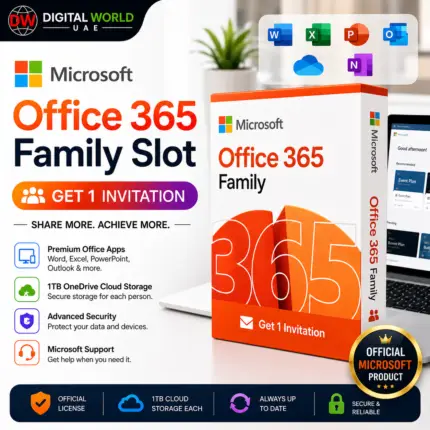
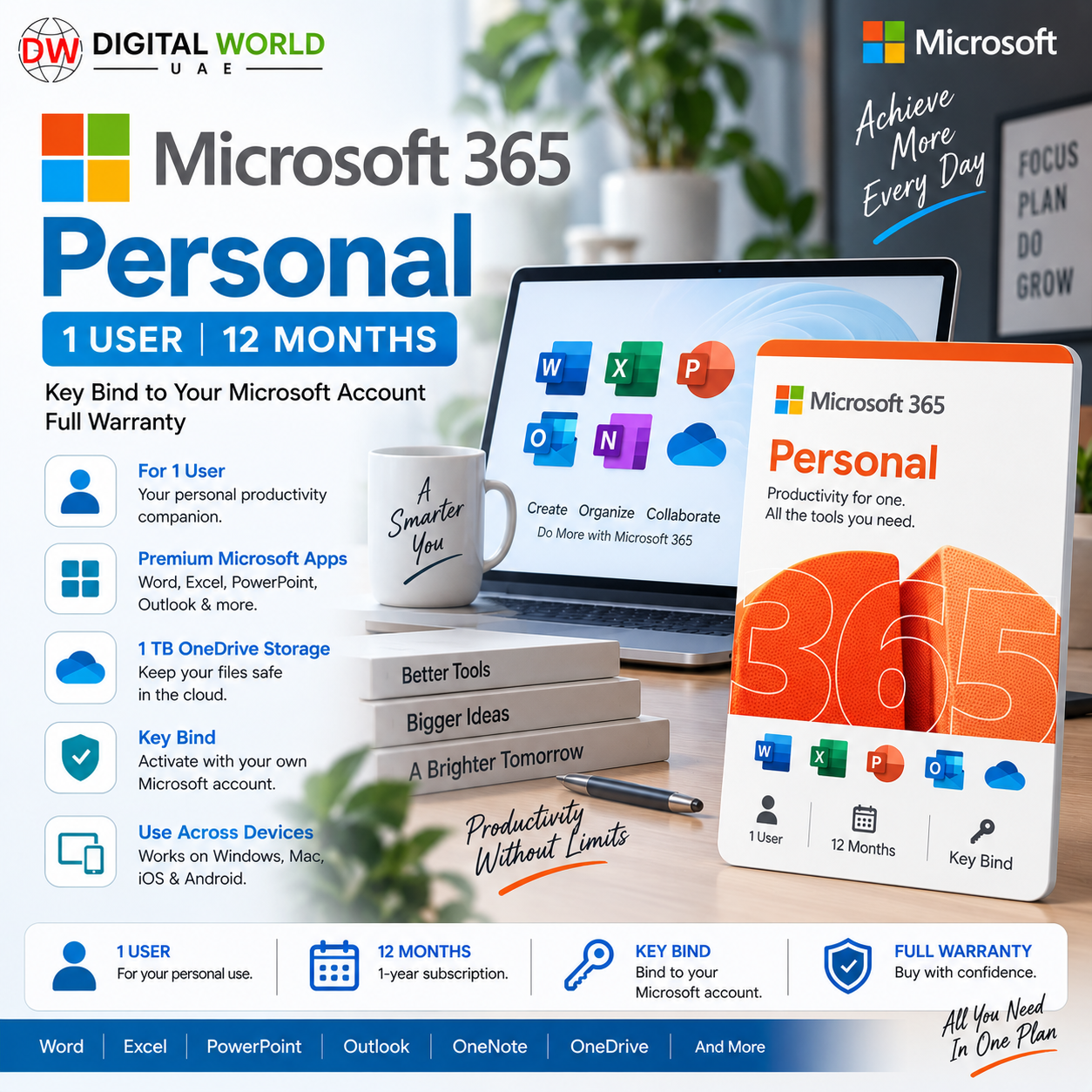

Microsoft 365 Personal – 1 User | 12 Months | Key Bind | Full Warranty
Price range: $45.00 through $50.00
✓ Microsoft 365 Personal – 12 Months / ~365 Days
✓ 1 User
✓ Redeem Key – Bind to Your Own Microsoft Account
✓ Choose Your Key Region:
• Middle East / Turkey
• Taiwan / Hong Kong / Macau SAR
✓ Word, Excel, PowerPoint, Outlook & More
✓ 1 TB OneDrive Cloud Storage
✓ Use on PC, Mac, Phone & Tablet
✓ Sign In on Up to 5 Devices at Once
✓ Full 365-Day Warranty
⚠️ Regional redemption restrictions apply.
⚠️ Please select the correct key region before ordering.
Microsoft 365 Personal – 1 User | 12 Months | Key Bind | Full Warranty
Get approximately 12 months / 365 days of Microsoft 365 Personal with a genuine redeemable product key that is linked to your own personal Microsoft account after successful redemption.
This is a PRODUCT KEY — not a pre-made account.
You use your own Microsoft account to redeem the supplied key. After successful redemption, your Microsoft account becomes associated with the Microsoft 365 Personal subscription and can be used to install, activate and reinstall Microsoft 365 during the subscription period.
Choose Your Key Region
This product is available in two regional variations:
✓ Middle East / Turkey – 12 Months
OR
✓ Taiwan / Hong Kong / Macau SAR – 12 Months
Both variations provide the same Microsoft 365 Personal subscription benefits.
The main difference is the REGION for which the supplied key is intended.
Prices may be different for each variation. Please select the required region before placing your order.
What’s Included
✓ Microsoft 365 Personal
✓ Approximately 12 Months / 365 Days
✓ 1 User
✓ Product Key / Redeem Key
✓ Bind to Your Own Microsoft Account
✓ Word
✓ Excel
✓ PowerPoint
✓ Outlook
✓ OneNote
✓ OneDrive
✓ 1 TB Cloud Storage
✓ Microsoft 365 Desktop Apps
✓ Windows Support
✓ macOS Support
✓ Supported Mobile Apps
✓ Use Across Multiple Devices
✓ Full 365-Day Warranty
✓ Choice of Two Regional Key Options
What Is Microsoft 365 Personal?
Microsoft 365 Personal is Microsoft’s subscription package designed for one person.
It combines Microsoft’s productivity applications, cloud storage and other supported Microsoft 365 services under one subscription.
It is suitable for users who need Word, Excel, PowerPoint, Outlook and other Microsoft applications for work, education or personal use.
What Can You Use It For?
Microsoft 365 Personal is useful for:
✓ Creating Word Documents
✓ Excel Spreadsheets & Data Management
✓ PowerPoint Presentations
✓ Email Management with Outlook
✓ Personal & Business Documents
✓ School & University Assignments
✓ Freelance Work
✓ Office Productivity
✓ Cloud File Storage
✓ File Backup & Synchronization
✓ Working Across Multiple Devices
✓ Accessing Documents from PC, Mac, Phone or Tablet
Who Is This Product Suitable For?
Recommended for:
✓ Home Users
✓ Students
✓ Teachers
✓ Freelancers
✓ Professionals
✓ Remote Workers
✓ Small Business Owners
✓ Individual Office Users
✓ Users Who Need Microsoft Office on Multiple Personal Devices
✓ Customers Who Want the Subscription Linked to Their Own Microsoft Account
1 User – Multiple Devices
Microsoft 365 Personal is designed for ONE person.
The subscription owner can install Microsoft 365 applications on supported devices and can be signed in on up to 5 devices simultaneously.
Supported platforms include:
✓ Windows PCs
✓ Mac Computers / MacBooks
✓ iPhone / iPad
✓ Android Phones & Tablets
Device and application availability may vary depending on operating system, device and Microsoft’s current requirements.
1 TB OneDrive Cloud Storage
Microsoft 365 Personal includes:
✓ 1 TB OneDrive Cloud Storage
You can use OneDrive to:
✓ Store Documents
✓ Back Up Important Files
✓ Store Photos & Other Supported Files
✓ Synchronize Files Across Devices
✓ Access Files Remotely
✓ Share Files
✓ Work on Microsoft 365 Documents Across Multiple Devices
Key Bind to Your Own Microsoft Account
This is NOT a pre-made Microsoft account.
You receive a Microsoft 365 Personal product key.
You redeem the key while signed in to YOUR OWN Microsoft account.
After successful redemption:
✓ Microsoft 365 Personal becomes associated with your Microsoft account.
✓ You can manage your subscription from your Microsoft account.
✓ You can download Microsoft 365 applications.
✓ You can reinstall Microsoft 365 using the same Microsoft account.
✓ You normally do not need to enter the product key again for reinstallations during the active subscription.
⚠️ Always make sure you redeem the key using the correct Microsoft account that you want to use for the subscription.
Regional Key Options
Please carefully select the correct variation before ordering.
Option 1 – Middle East / Turkey
This variation supplies a Microsoft 365 Personal key intended for the applicable:
✓ Middle East region
and/or
✓ Turkey
according to the supplied key’s regional eligibility.
Option 2 – Taiwan / Hong Kong / Macau SAR
This variation supplies a Microsoft 365 Personal key intended for:
✓ Taiwan
✓ Hong Kong
✓ Macau SAR
according to the supplied key’s regional eligibility.
IMPORTANT – Regional Redemption
⚠️ Microsoft product keys may have regional restrictions.
Microsoft officially requires region-restricted product keys to be redeemed in an eligible country/region.
Therefore, please select the variation appropriate for your intended redemption region.
If you are physically located outside the key’s supported region, regional restrictions may prevent redemption.
Some customers may use a temporary VPN during regional redemption.
After successful redemption and activation, normal Microsoft 365 usage is through your Microsoft account according to Microsoft’s subscription terms.
How to Redeem the Key
You can follow our complete step-by-step Microsoft Office / Microsoft 365 key activation guide here:
https://digitalworlduae.shop/how-to-activate-office-visio-project-access-key-bind-1user
Basic procedure:
1. Select and purchase the correct regional variation.
2. Receive your Microsoft 365 Personal product key.
3. Open Microsoft’s Microsoft 365 setup/redeem page.
4. Sign in with YOUR OWN Microsoft account.
5. Enter the supplied product key.
6. Follow Microsoft’s on-screen redemption instructions.
7. Complete the redemption.
8. Confirm that Microsoft 365 Personal appears under your Microsoft account.
9. Download and install Microsoft 365 applications.
10. Sign in to the applications using the Microsoft account associated with the subscription.
Full 365-Day Warranty
✓ FULL WARRANTY FOR THE SUPPLIED 365-DAY SUBSCRIPTION PERIOD
If an eligible key/subscription issue occurs during the advertised subscription period, contact our support team.
Our team will check the issue and provide applicable assistance according to our warranty policy.
The customer must follow the supplied activation instructions and regional requirements correctly to remain eligible for warranty support.
Important Notes
• Product: Microsoft 365 Personal
• Users: 1 Person
• Duration: Approximately 12 Months / 365 Days
• Product Type: Redeemable Key
• Account Type: Customer’s Own Microsoft Account
• Cloud Storage: 1 TB OneDrive
• Simultaneous Sign-In: Up to 5 Devices
• Windows: Supported
• macOS: Supported
• iPhone/iPad: Supported
• Android: Supported
• Warranty: Full 365 Days
• This is NOT a pre-made account.
• Two regional key variations are available.
• Select the correct regional variation before ordering.
• Regional restrictions apply during key redemption.
• Features and availability remain subject to Microsoft’s current Microsoft 365 policies.
Frequently Asked Questions
Q. What exactly will I receive?
A. You will receive a Microsoft 365 Personal product key for the regional variation selected when placing your order.
Q. Is this a pre-made Microsoft account?
A. No. You redeem the key using your own personal Microsoft account.
Q. How long does it last?
A. Approximately 12 months / 365 days according to the supplied subscription.
Q. How many users can use it?
A. Microsoft 365 Personal is for 1 person.
Q. Can I use it on more than one device?
A. Yes. Microsoft 365 Personal allows the subscription owner to use supported applications across multiple devices and be signed in on up to 5 devices simultaneously.
Q. Does it work on Windows?
A. Yes.
Q. Does it work on MacBook?
A. Yes. Microsoft 365 Personal supports compatible macOS devices.
Q. Does it work on mobile?
A. Yes. Supported Microsoft 365 apps are available for iPhone, iPad and Android devices.
Q. How much OneDrive storage do I receive?
A. Microsoft 365 Personal includes 1 TB of OneDrive cloud storage.
Q. What is the difference between the two variations?
A. The Microsoft 365 Personal subscription features are the same. The primary difference is the intended redemption region and the selling price of each variation.
Q. Which regional variations are available?
A. You can choose Middle East / Turkey or Taiwan / Hong Kong / Macau SAR.
Q. Do I need a VPN?
A. If you are redeeming the key within its intended region, normally you should not need a VPN for regional purposes. If you are outside the supported region, regional restrictions may apply.
Q. Where can I find the activation guide?
A. Use the Digital World UAE Microsoft key activation guide provided in this product description.
Q. Does the key bind to my Microsoft account?
A. Yes. After successful redemption, the Microsoft 365 subscription becomes associated with the Microsoft account used during redemption.
Q. Can I reinstall Microsoft 365 later?
A. Yes. Once successfully redeemed, you can use the associated Microsoft account to manage and reinstall Microsoft 365 during the active subscription period.
Q. Is full warranty included?
A. Yes. This product includes full warranty for the advertised 365-day subscription period according to our warranty conditions.
Q. How long will it take to deliver?
A. Few hours to 5 working days, depending on product.
| Regional Variation | Middle East / Turkey – 12 Months, Taiwan / Hong Kong / Macau SAR – 12 Months |
|---|
Related products