


Blog
How to activate Key byphone for Microsoft Office?

How to activate Key byphone for Microsoft Office?
🔑 Activate Microsoft Office Using Byphone Key (No Internet Required)
If you’re trying to activate Office 2024, 21, 19, 16, etc. using a genuine product key and encounter an error, follow the guide below.
This is a simple and quick phone activation method (Byphone) that doesn’t require an internet connection.
Activation by phone notification: You will see a prompt asking you to activate by phone as shown below.
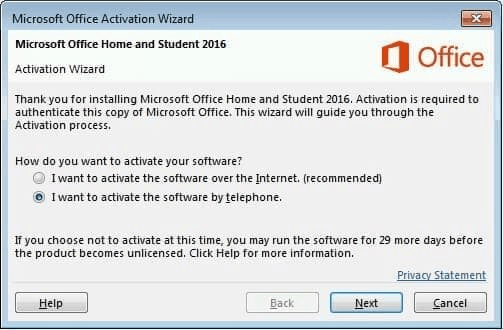
Step 1: Select “I want to activate the software by telephone” then click Next.
Step 2: In the Location section, select your country of residence.
Step 3: Write down the number string shown in Step 2: Installation ID.
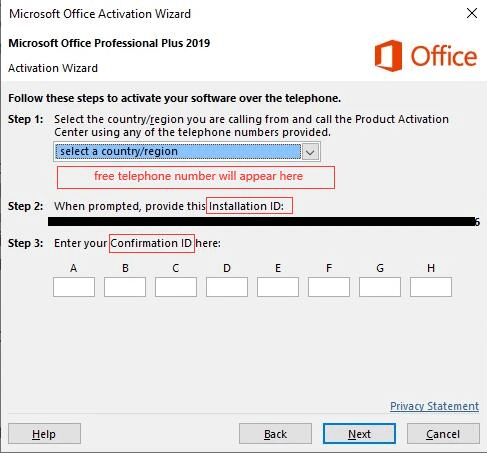
Step 4: Go to Active & GetCID, enter the Installation ID from the Step 2 – Installation ID field, then click GET CID.
Step 5: Enter the Confirmation ID (CID) into the corresponding boxes A → H, then click Next.
Step 6: Office has been successfully activated! 🎉